
Sheru Bhai Life Simulator
Fan-Made Community Wiki
Explore Skorax’s open-world island as Sheru Bhai, a white lion with a mansion on Royal Hill. Get the game, call your first car and find your way around the island.
Latest Game Updates
Royal Convoy, Money Helicopter and Iron Suit appear in the store notes
Nov 23 ›Skorax releases the official Sheru Bhai Life Simulator trailer
Nov 22 ›Windows players can find Sheru Bhai on Google Play Games
PC listing ›Start Here
Your Sheru Bhai Journey
- 1↗
Get the right game
Match Skorax and the white lion on Google Play before downloading.
- 2↗
Explore Royal Hill
Walk through the mansion and find the wardrobe in the master suite.
- 3↗
Call your first ride
Open the Vehicle app on Sheru’s phone and choose a car or superbike.
- 4↗
Head out across the island
Pick a destination for the drive, from the airport to the sandy beaches.
Popular pages
Trending Now
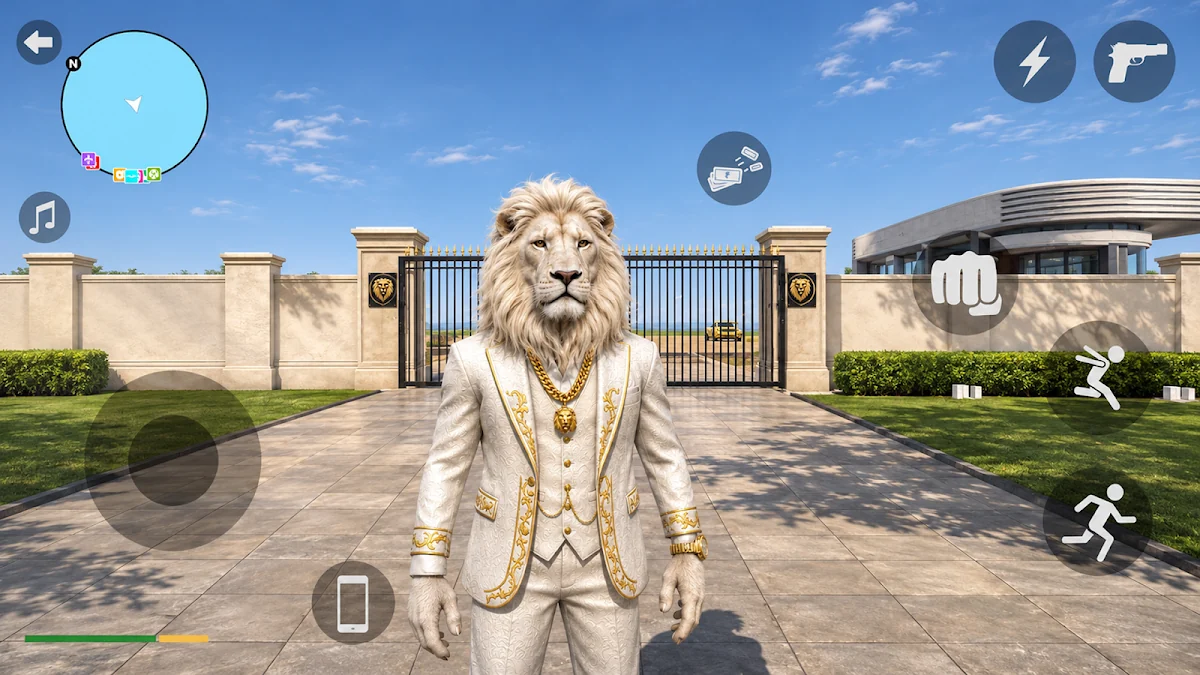
Beginner Guide
From the mansion gate to your first drive down Royal Hill.
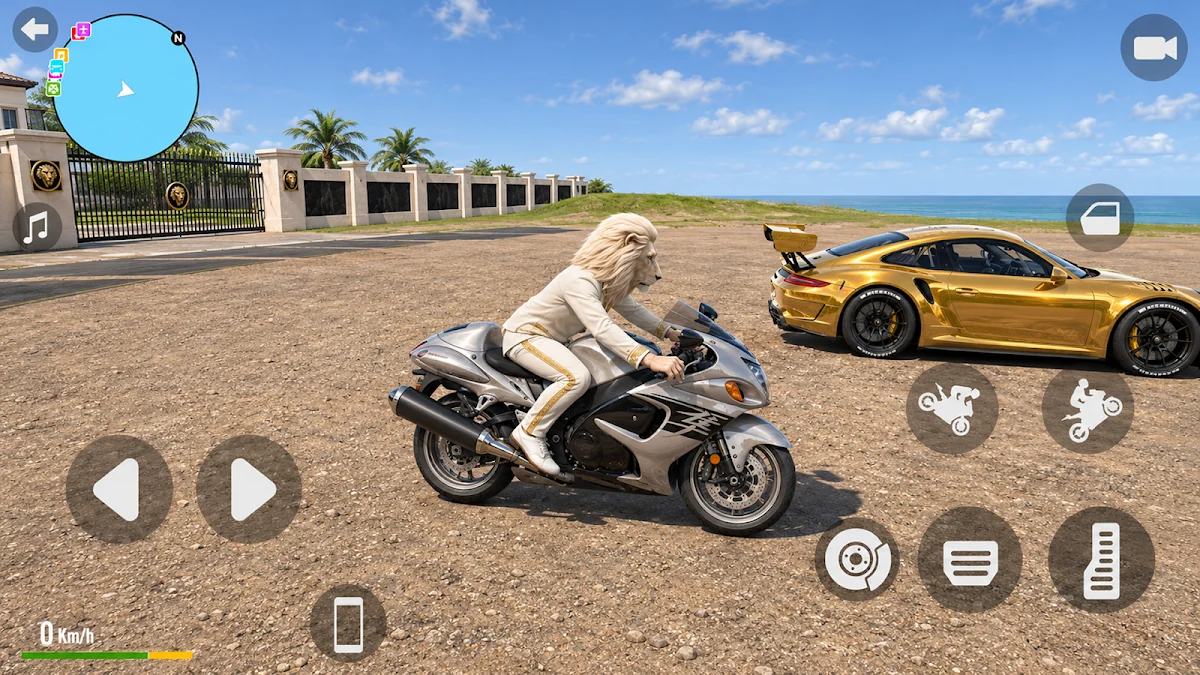
Cars, Bikes & Aircraft
See the vehicle types and call a ride from the royal phone.
What is Sheru Bhai Life Simulator?
Sheru Bhai Life Simulator is an open-world game from Skorax. You play a white lion living above the island on Royal Hill. The mansion is both a place to explore and the spot where you change Sheru’s clothes before setting out.
The phone ties a trip together. Call a sports car for the highway, swap it for an aircraft near the airport, or take a selfie at the beach. The developer also lists offline play, so you can explore after installation without creating an in-game account.

- Developer
- Skorax
- Platforms
- Android · Windows via Google Play Games
- Genre
- Open-world simulation
- Setting
- Royal Hill and the island
- Car collection
- 15 luxury cars
- Play mode
- Offline after installation
Explore the Wiki
Find the right download, plan a drive, or look up what each app on Sheru’s phone does.
Android Download
Find the correct listing and update the installed app.
Play on PC
Check Windows, memory and storage requirements.
Beginner Guide
Plan your first session on foot and behind the wheel.
Vehicles
Call cars, superbikes, jets and a helicopter.
Island Map
Choose a route between the airport, highway and beaches.
Royal Hill Mansion
Find the master suite, gold room and pool deck.
Wardrobe
Compare suits, glasses, caps and crowns.
Royal Phone
Look up the Vehicle, Bank, Camera and Weapon apps.
Game Updates
Read the latest store notes and watch the official trailer.
Frequently Asked Questions
Quick answers about downloading the game and finding your way around the island.
Where can I download Sheru Bhai Life Simulator?
Open Google Play and select Sheru Bhai Life Simulator Game by Skorax. The Android package is com.Skorax.SheruBhaiGame. The Android Download button above opens that listing.
Can I play Sheru Bhai Life Simulator on PC?
Yes. Google lists the game for compatible Windows computers through Google Play Games on PC. The PC guide links to the official listing and its minimum requirements.
Can I play the game offline?
Skorax says the game supports offline play and does not require an in-game account. Download and update the app while you have an internet connection.
Can I play in my browser or on an iPhone?
We verified the Android app and the Google Play Games on PC listing. We could not verify an official browser game or an iPhone release from Skorax.
How do I get a car or helicopter?
Open Sheru’s in-game phone and choose Vehicle. It can call cars, bikes and aircraft. The airport is a convenient landmark for trying a first flight.
Where is the wardrobe?
Go to the master bedroom in the Royal Hill mansion. The wardrobe has suits, glasses, caps and crowns.
What does the Bank app do?
Bank displays Sheru’s in-game balance. For pictures and selfies, switch to Camera on the same phone.
Where can I read the latest update notes?
Open the Skorax listing on Google Play and scroll to What’s new. The Updates page collects dated notes and links back to their sources.
Ready for your first drive?
Start at the Royal Hill mansion, call a car on Sheru’s phone and take the hill road down to the island.